






01Powered by Restream https://restream.io
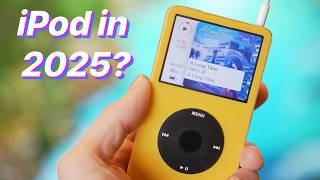
Fixing up a friend's iPod
00:00 Initial
05:05 Agenda for today (replacing the motherboard and testing iPod)
08:11 Removing the Click-wheel from the older motherboard
12:28 Preparing the new motherboard
13:46 Installing the Click-wheel onto the new motherboard
15:54 Installing the old frame onto the new motherboard
17:40 Installing the old front-case & screen onto the frame
19:15 Tangent about modding Game Boys
20:29 Back to installing the old front-case & screen onto the frame
23:09 Screwing the frame back onto the front-case
28:24 Installing the old HDD onto the new motherboard
32:09 Uninstalling the old HDD because I needed to install the Headphone jack first
34:10 Installing the old HDD (again)
39:05 Installing the old battery
40:35 Testing the iPod with the new motherboard
40:52 That old clicking sound is so nostalgic
42:07 Testing the headphone jack (success)
44:30 Finally, starting to install the modded components
48:14 Installing the new HDD
52:11 Removing the old battery
53:48 This battery really confused me
01:02:20 and of course the new HDD wasn't connected
01:05:30 Installing the new HDD (again)
01:08:25 How do you install your foam spacers?
01:09:30 Installing the new battery (finally)
01:10:00 iPod initializes
01:11:59 I have no idea how to install foam spacers
01:14:30 Installing foam spacers
01:19:39 Closing up the iPod
01:20:50 Cleaning it up
01:24:00 Future project my clear iPod
- Category
- Repair, Fix, Replace

Up Next
-
09:07

Replacing the Battery in iPod Nano 5g - Dean's How-To
-
27:47
Replacing the click wheel and the front and back plate on a Gen 6 IPOD Classic
-
04:19
ipod touch 4g attach digitizer to motherboard
-
16:08
Replacing the Motherboard in an iPod 5th gen
-
12:19
iPod Classic Repair Ep. 107: DIY Repair Disaster! Motherboard & Hard Drive Replacement
-
12:02
replacing ipod classic casing
-
Replacing my iPod mini's battery
-
02:14
iPod Photo 4th Gen Motherboard Repair Re Assembly
-
10:36
I tried replacing my phone with an iPod
-
07:31
Ipod Nano Gen 3 Restoration - Bad battery and replacing the case - Can we make it functional again?
-
13:14

El iPod Classic de 2025 In Spanish
-
Why You Should Buy An iPod Classic in 2025
-
02:47
How To Put Music Onto Your Ipod From A CD
-
06:24
iPod Classic 5th Generation Battery & Hard Drive Replacement!
-
13:41
iPod Classic 5th Generation Hard Drive replacement Upgrade iflash.xyz SSD 200GB!
-
05:31
iPod classic hard drive replacement
-
08:22
iPod classic 6th gen hard drive replacement part 2 (check)
-
12:19
iPod Classic Repair Ep. 107: DIY Repair Disaster! Motherboard & Hard Drive Replacement
-
04:47
Modifying an iPod Video battery and hard drive to 3000 mAh and 128 GB Flash Drive
-
06:43
iPod Classic Hard Drive Replacement Tutorial Red X 80gb 120gb 160gb | GadgetMenders.com