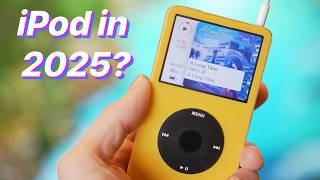







#ipod #ipodclassic
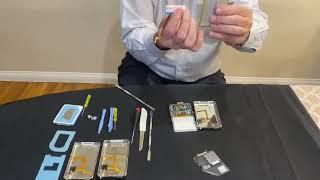
The last video I made of this iPod, I failed to test it by connecting it to the computer. But when I did, it gave a USB device not recognized code 43 error (I think). I did research, tried some things, but ultimately, I could not get it to work. So I decided to get a replacement motherboard for it.
- Category
- 5 Generation

Be the first to comment
Up Next
Autoplay
-
02:14

iPod Photo 4th Gen Motherboard Repair Re Assembly
-
Replacing my iPod mini's battery
-
09:07
Replacing the Battery in iPod Nano 5g - Dean's How-To
-
07:31
Ipod Nano Gen 3 Restoration - Bad battery and replacing the case - Can we make it functional again?
-
12:02
replacing ipod classic casing
-
10:36
I tried replacing my phone with an iPod
-
04:19
ipod touch 4g attach digitizer to motherboard
-
12:19
iPod Classic Repair Ep. 107: DIY Repair Disaster! Motherboard & Hard Drive Replacement
-
1:26:42
Replacing motherboard on iPod
-
27:47
Replacing the click wheel and the front and back plate on a Gen 6 IPOD Classic
-
13:14

El iPod Classic de 2025 In Spanish
-
Why You Should Buy An iPod Classic in 2025
-
02:47
How To Put Music Onto Your Ipod From A CD
-
06:24
iPod Classic 5th Generation Battery & Hard Drive Replacement!
-
13:41

iPod Classic 5th Generation Hard Drive replacement Upgrade iflash.xyz SSD 200GB!
-
05:31
iPod classic hard drive replacement
-
08:22
iPod classic 6th gen hard drive replacement part 2 (check)
-
12:19
iPod Classic Repair Ep. 107: DIY Repair Disaster! Motherboard & Hard Drive Replacement
-
04:47
Modifying an iPod Video battery and hard drive to 3000 mAh and 128 GB Flash Drive
-
06:43
iPod Classic Hard Drive Replacement Tutorial Red X 80gb 120gb 160gb | GadgetMenders.com