















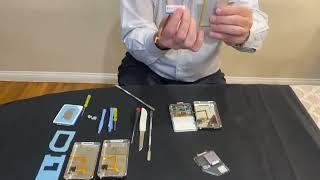
I had a hard time attaching the digitizer cable to the motherboard/logic board using the methods I found on youtube. I came up with this method, folding a small piece of paper and putting it under the connection so that all you have to do is line the connector up and then press down. I did this video on the fly so please understand the quality of it.
- Category
- Touch

Be the first to comment
Up Next
Autoplay
-
07:36

iPod Touch 6th Generation Review - 2015 iPod Touch 6G
-
16:08
Replacing the Motherboard in an iPod 5th gen
-
1:26:42
Replacing motherboard on iPod
-
08:02
How Bad is iOS 7 on the iPod Touch 4?
-
01:57
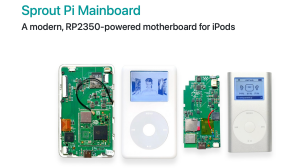
A modern motherboard for iPods
-
02:14
iPod Photo 4th Gen Motherboard Repair Re Assembly
-
08:48
iPod Touch Battery Replacement | iPod Touch 5th 6th and 7th Gen | iPod Restoration
-
12:19
iPod Classic Repair Ep. 107: DIY Repair Disaster! Motherboard & Hard Drive Replacement
-
09:18
iOS 6 on iPod Touch 2G!?
-
03:34
7th Gen iPod Touch VS 6th Gen iPod Touch
-
04:42
4K ✅ iPod Recovery mode ???? HDD test ???? Battery cycle
-
05:10
iPod Mini 64gb upgrade fix using SDHC or SDXC flash cards
-
13:14

El iPod Classic de 2025 In Spanish
-
02:47
How To Put Music Onto Your Ipod From A CD
-
06:24
iPod Classic 5th Generation Battery & Hard Drive Replacement!
-
13:41

iPod Classic 5th Generation Hard Drive replacement Upgrade iflash.xyz SSD 200GB!
-
05:31
iPod classic hard drive replacement
-
08:22
iPod classic 6th gen hard drive replacement part 2 (check)
-
12:19
iPod Classic Repair Ep. 107: DIY Repair Disaster! Motherboard & Hard Drive Replacement
-
04:47
Modifying an iPod Video battery and hard drive to 3000 mAh and 128 GB Flash Drive