HAPPY HALLOWEEN FIXERS!!!!!
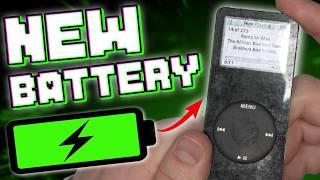
Today, we're taking an iPod that hasn’t held a charge in 8 years and we're going to make a whole new kind of monster!
We’re going to give new life to a 4th Gen iPod by replacing the battery and changing out the hard drive for an SSD. Why? Well, the Solid State Drive is lighter, faster, and it won't skip with vibration--not to mention it’ll work really well with that new battery by giving it extended life!
Subscribe to our channel for all our latest teardown and repair videos!
https://www.youtube.com/subscription_center?add_user=ifixityourself
Follow us on Twitter: https://twitter.com/ifixit
Check us out on Facebook: https://www.facebook.com/iFixit
- Category
- Classic

Be the first to comment
Up Next
Autoplay
-
Fully Custom Red And Black iPod Classic 5th Gen 128gb SD Card/Flash Mod Upgrade And Installation!
-
How to Upgrade an iPod 3rd Generation (SD Card + Battery Replacement)
-
How to install an SD card and 3000mah battery into an iPod Classic 5th gen Video
-
Using an iPod shuffle in 2025 + How to replace the battery
-
How to Replace the Battery in an iPod nano 1st Gen
-
I fixed a broken iPod Mini - 512GB Flash Mod Tutorial - New battery, SD card, shell
-
How to Fix an iPod nano 3rd Gen - Battery LCD Buttons
-
How to Flash Mod a BROKEN iPod Mini for CHEAP! (SD Card + Battery Upgrade Tutorial)
-
I Fixed a Broken iPod Classic 6.5 Gen by Upgrading to Flash Storage
-
Upgrading my iPod Video with a T H I C C 1950mAh battery (and other stuff)
-
Apple iPod Classic Repair Ep. 87: Front Cover and Center Button Replacement
-
This iPod Has Social Anxiety
-
How to install an SD card and 3000mah battery into an iPod Classic 5th gen Video
-
iPod Video Micro SD Card Upgrade, Battery Replacement, and Rockbox Installation
-
How to Flash Mod a BROKEN iPod Mini for CHEAP! (SD Card + Battery Upgrade Tutorial)
-
iPod Classic 7th Gen Upgrade – New Life with SDXC, Huge Battery & Custom Case
-
Why Is the iPod Making a Comeback in 2025?
-
iPod vs. The Algorithm
-
How to Replace the Battery in an iPod nano 1st Gen
-
How to Upgrade an iPod 3rd Generation (SD Card + Battery Replacement)