








Reviving a dead iPod Video. This video will cover everything needed to replace a battery in an iPod 5th Generation Classic, replace the hard drive with micro SD or SD cards, and install Rockbox. The entire process only takes 30-45 minutes.
============
Affiliate Disclosure:
Outside the Shot is a participant in the Amazon Services LLC Associates Program, an affiliate advertising program designed to provide a means for sites to earn advertising fees by advertising and linking to Amazon.com.
As an eBay Partner, I may be compensated if you make a purchase. I also participate in affiliate advertising programs with KEH and Adorama.
iPod Video 5th Gen:
eBay: https://ebay.us/Fy4pa4 (affiliate link)
Replacement Batteries:
Amazon: https://amzn.to/3VdaEFi (affiliate link)
eBay: https://ebay.us/vzpwkj (affiliate link)
iFlash Adapter:
eBay: https://ebay.us/Q1dRO1 (affiliate link)
Amazon: https://amzn.to/3XjBYUQ (affiliate link)
SD Cards:
Amazon: https://amzn.to/3VCXt1G (affiliate link)
eBay: https://ebay.us/AjbntJ (affiliate link)
microSD Cards:
Amazon: https://amzn.to/4eh3f0p (affiliate link)
eBay: https://ebay.us/sg7vUI (affiliate link)
============
https://www.iflash.xyz/
What you need:
0:19 - Getting an iPod Video from eBay
1:04 - Replacement batteries
1:28 - Replacement hard drive options
2:29 - SD & micro SD cards
Replacing the battery & hard drive:
3:23 - Opening the iPod
6:20 - Disconnecting the battery ribbon cable
7:04 - Removing the hard drive
9:17 - Removing the battery
12:30 - Replacing the battery
13:25 - Replacing the hard drive with micro SD cards
Restoring the iPod & Installing Rockbox
22:20 - Restoring the iPod with iTunes
23:15 - Installing Rockbox
26:12 - How to update the Rockbox database
- Category
- 5 Generation

Up Next
-
08:04

iPod ROCKBOX installation guide for all iPods
-
24:35
How to Upgrade an iPod 3rd Generation (SD Card + Battery Replacement)
-
28:53
iPod Video 128GB SD card upgrade
-
03:48
iPod Nano 3rd Generation Battery Replacement Installation Instruction Guide
-
19:54
Fully Custom Red And Black iPod Classic 5th Gen 128gb SD Card/Flash Mod Upgrade And Installation!
-
10:42
iPod Classic 2020 All In One Restoration Guide - SD Card, Battery Upgrade & More!
-
40:05
iPod Touch (6th gen) battery replacement Part Two: The removal & installation of a new battery
-
10:51
How to install an SD card and 3000mah battery into an iPod Classic 5th gen Video
-
20:37
How to Flash Mod a BROKEN iPod Mini for CHEAP! (SD Card + Battery Upgrade Tutorial)
-
29:42
ipod mini disassembly, SSD Compact flash conversion, battery upgrade, ROCKBOX
-
05:10
iPod Mini 64gb upgrade fix using SDHC or SDXC flash cards
-
13:14

El iPod Classic de 2025 In Spanish
-
02:47
How To Put Music Onto Your Ipod From A CD
-
06:24
iPod Classic 5th Generation Battery & Hard Drive Replacement!
-
13:41
iPod Classic 5th Generation Hard Drive replacement Upgrade iflash.xyz SSD 200GB!
-
05:31
iPod classic hard drive replacement
-
08:22
iPod classic 6th gen hard drive replacement part 2 (check)
-
12:19
iPod Classic Repair Ep. 107: DIY Repair Disaster! Motherboard & Hard Drive Replacement
-
04:47
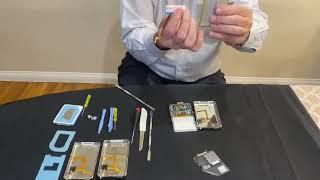
Modifying an iPod Video battery and hard drive to 3000 mAh and 128 GB Flash Drive
-
06:43
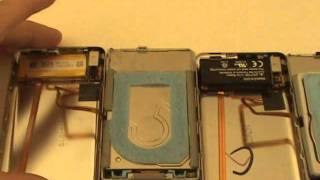
iPod Classic Hard Drive Replacement Tutorial Red X 80gb 120gb 160gb | GadgetMenders.com