
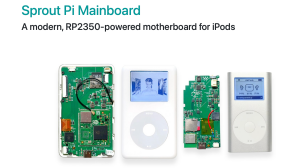








Hi, this video shows you how to determine which generation of Apple iPod touch that you have. The quickest way is to look at the model numbers on the back. A1213 is the 1st generation, A1288 is the 2nd generation, A1318 is the 3rd generation, A1367 is the 4th generation, A1509,A1421 are the 5th generation and A1574 is the 6th Generation.
Many thanks Vince
- Category
- Touch

Be the first to comment
Up Next
Autoplay
-
11:44

Replace iPod Mini Battery (2nd Gen) + Identifying the Model
-
03:26
Apple iPod Touch (4th Generation)
-
18:11
Apple iPod Touch 7th Gen Battery Replacement
-
02:52
Apple iPod classic 160 GB 7th Gen NEWEST MODEL
-
00:35
Using USB to charge a 3rd Generation iPod Classic (FireWire only model)
-
12:54
Battery Replacement in Ipod Model A1136
-
00:32
Find out your model of Apple iPod Classic
-
02:01
Apple iPod Touch video preview
-
17:36
The Weirdest iPod Touch Apple Ever Made
-
02:30
Apple iPod Touch (4th generation)
-
05:10
iPod Mini 64gb upgrade fix using SDHC or SDXC flash cards
-
13:14

El iPod Classic de 2025 In Spanish
-
02:47

How To Put Music Onto Your Ipod From A CD
-
06:24
iPod Classic 5th Generation Battery & Hard Drive Replacement!
-
13:41

iPod Classic 5th Generation Hard Drive replacement Upgrade iflash.xyz SSD 200GB!
-
05:31
iPod classic hard drive replacement
-
08:22
iPod classic 6th gen hard drive replacement part 2 (check)
-
12:19
iPod Classic Repair Ep. 107: DIY Repair Disaster! Motherboard & Hard Drive Replacement
-
04:47
Modifying an iPod Video battery and hard drive to 3000 mAh and 128 GB Flash Drive
-
06:43
iPod Classic Hard Drive Replacement Tutorial Red X 80gb 120gb 160gb | GadgetMenders.com