

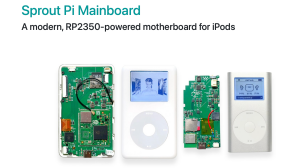










Do you have an iPod Classic that was formatted on a Mac computer and you want to use it on a Windows machine? Have you been getting a #1429 or #1439 error while trying to sync or it came unplugged before being ejected and now the iPod doesn't show up in iTunes? Most of the times all that is needed is to reformat it using Windows File Manager.
If your iPod still isn’t recognized after these steps, the problem may involve the cable, dock connector, or internal storage. MRG Studio’s U.S. mail-in repair service is available here:
https://mrgstudio.com
Looking for a refurbished iPod Classic? Visit the MRG Studio eBay store:
https://www.ebay.com/str/mrgstudiosales
- Category
- Classic

Be the first to comment
Up Next
Autoplay
-
06:59

iPod classic in 2024: I got 2 iPods classic 5th & 6th gen
-
17:22
Bluetooth and USB C kit for iPod classic (Classic Connect by Moonlit Market review)
-
04:52
iPod Classic upgrade: new battery + SD Card. 128GB 4th gen iPod Classic | RA09
-
02:16
Fix- iTunes Doesn't Detect or Recognizing iPod Shuffle 4th Gen! [Windows 10/11]
-
02:42
iPod classic 80gb dead Retro classic revisit of My collection of portable mp3 players in 2026 Pt 10
-
00:26
How to format an old IPod classic
-
17:43
How to install iPod Clickwheel Games Windows Tutorial
-
22:50
How to Format SDXC for iPods!!! & I Fix an iPod Mini...
-
02:45
How to add songs to iPod using a windows PC 2023 ONWARDS
-
08:34
iPod Encoding 240p video easily Mac OS and Windows
-
05:10
iPod Mini 64gb upgrade fix using SDHC or SDXC flash cards
-
13:14

El iPod Classic de 2025 In Spanish
-
02:47
How To Put Music Onto Your Ipod From A CD
-
06:24
iPod Classic 5th Generation Battery & Hard Drive Replacement!
-
13:41

iPod Classic 5th Generation Hard Drive replacement Upgrade iflash.xyz SSD 200GB!
-
05:31
iPod classic hard drive replacement
-
08:22
iPod classic 6th gen hard drive replacement part 2 (check)
-
12:19
iPod Classic Repair Ep. 107: DIY Repair Disaster! Motherboard & Hard Drive Replacement
-
04:47

Modifying an iPod Video battery and hard drive to 3000 mAh and 128 GB Flash Drive
-
06:43
iPod Classic Hard Drive Replacement Tutorial Red X 80gb 120gb 160gb | GadgetMenders.com