

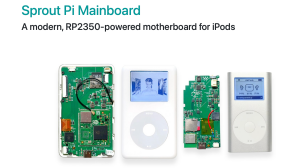










Many users complain their iPod is showing This Accessory not supported error on their iPods, whenever they connect Charger or Headphones. Here we will show you the best ways to fix this issue easily.
0:00 Common Problems
0:24 Force Restart
1:07 Use different Accessory
- Category
- Touch

Be the first to comment
Up Next
Autoplay
-
06:30

iPod Mods | Upgrading Your Device with Style and Functionality
-
03:22
"iTunes cannot read the contents of the iPod" - here's how I fixed it
-
01:38
iPod Classic Not Syncing with iTunes 2016 FIXED
-
01:00
How to Soft Reset iPod Classic | Fix Frozen Issue | Fix Glitchy Issue |
-
iPod Nano 1st Gen- MYSTERY DEVICE DAY #1
-
09:40
Add Bluetooth & WiFi Streaming To An IPod or ANY Old Device
-
06:51
Modified 1/2 TB iPod - The Beast!: Battery Life Issue Solved
-
03:17
Fixed iPod problem of corrupted files
-
01:36
All iPod Touches: Frozen, Unresponsive or Laggy FIXED
-
10:01
Unboxing the iPod Nano 1st Gen (2005) – The Device That Started It All
-
05:10
iPod Mini 64gb upgrade fix using SDHC or SDXC flash cards
-
13:14

El iPod Classic de 2025 In Spanish
-
02:47
How To Put Music Onto Your Ipod From A CD
-
06:24
iPod Classic 5th Generation Battery & Hard Drive Replacement!
-
13:41
iPod Classic 5th Generation Hard Drive replacement Upgrade iflash.xyz SSD 200GB!
-
05:31
iPod classic hard drive replacement
-
08:22
iPod classic 6th gen hard drive replacement part 2 (check)
-
12:19
iPod Classic Repair Ep. 107: DIY Repair Disaster! Motherboard & Hard Drive Replacement
-
04:47
Modifying an iPod Video battery and hard drive to 3000 mAh and 128 GB Flash Drive
-
06:43
iPod Classic Hard Drive Replacement Tutorial Red X 80gb 120gb 160gb | GadgetMenders.com