

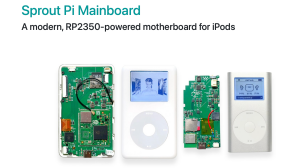










Title: How to Modify/Upgrade an iPod Classic 7th Gen from 160 GB HD to 256 GB Flash! ????????
Description:
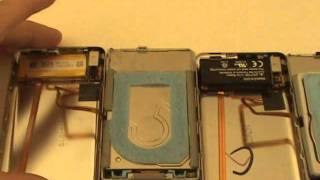
Ready to bring your classic iPod back to life? Learn how to upgrade your iPod Classic 7th Gen from a 160 GB hard drive to a 256 GB flash storage for better performance, extended battery life, and tons of space for all your music! In this step-by-step guide, I'll walk you through everything you need to know to perform this upgrade safely and effectively. Don't let your old iPod gather dust – give it a brand-new start! ????
Timeline:
00:00 - 02:15 Welcome
02:16 - 03:35 Opening the iPod Classic
03:36 - 04:04 - Removing the Hard Drive
04:05 - 05:43 Inserting the iFlash Solo
05:44 - 10:28 Formatting the Flash Card
10:29 - 12:28 Finnish installation
Hashtags:
#iPodClassic, #iPodUpgrade, #DIYTech, #TechTutorial, #FlashUpgrade, #iPodMods, #MusicLovers, #RetroTech, #TechTips, #Apple
- Category
- Mods and Custom

Up Next
-
06:43

Flash U2 iPod Classic Update & Upgrade – iPod Series S.1 EP.8
-
29:42
ipod mini disassembly, SSD Compact flash conversion, battery upgrade, ROCKBOX
-
07:16
Live iPod Classic Flash Upgrade
-
08:25
64 GB iPod Classic iFlash Flash Card Upgrade
-
19:54
Fully Custom Red And Black iPod Classic 5th Gen 128gb SD Card/Flash Mod Upgrade And Installation!
-
20:37
How to Flash Mod a BROKEN iPod Mini for CHEAP! (SD Card + Battery Upgrade Tutorial)
-
05:10
iPod Mini 64gb upgrade fix using SDHC or SDXC flash cards
-
17:23
iPod Mini CF flash upgrade hard drive fix
-
02:44
How to Fix iPod iTunes Restore Loop Apple iPod Mini Classic SSD CF MOD 128GB Compact Flash Upgrade
-
06:44
I Flash Modded a 3rd Gen iPod Classic - 64GB Upgrade
-
05:10
iPod Mini 64gb upgrade fix using SDHC or SDXC flash cards
-
13:14

El iPod Classic de 2025 In Spanish
-
02:47
How To Put Music Onto Your Ipod From A CD
-
06:24
iPod Classic 5th Generation Battery & Hard Drive Replacement!
-
13:41
iPod Classic 5th Generation Hard Drive replacement Upgrade iflash.xyz SSD 200GB!
-
05:31
iPod classic hard drive replacement
-
08:22
iPod classic 6th gen hard drive replacement part 2 (check)
-
12:19
iPod Classic Repair Ep. 107: DIY Repair Disaster! Motherboard & Hard Drive Replacement
-
04:47
Modifying an iPod Video battery and hard drive to 3000 mAh and 128 GB Flash Drive
-
06:43
iPod Classic Hard Drive Replacement Tutorial Red X 80gb 120gb 160gb | GadgetMenders.com