

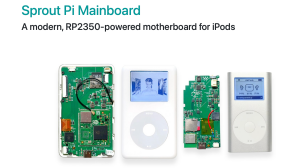










This video shows you how to install Rockbox on your iPod Classic (5th-7th gen). Rockbox has support for FLAC/Ogg/Opus, Custom EQ, FREE Custom Themes, doesn't require iTunes (post install), and CAN PLAY DOOM.
Let me know if you have any questions!
Mac Command:
defaults write -g ignore-devices -bool true
defaults write -g ignore-devices -bool false (run this after installation is confirmed and finished)
Rockbox Download Link:
https://www.rockbox.org/wiki/RockboxUtility#Download
Article:
https://computeforhumans.com/blog/how-to-install-rockbox-on-ipod-classic
References:
Terminal Command: https://www.reddit.com/r/rockbox/comments/1hlunky/cant_seem_to_get_my_mac_to_recognise_even_though/
iPod Guide (Helpful for beginning iPod Classic restoration): http://www.yuuiko.space/iPodGuide/iPodGuidev2-1.pdf
- Category
- Music Videos & Games

Up Next
-
11:33

iTunes Came Before the iPod — Why That Sequence Mattered
-
03:22
"iTunes cannot read the contents of the iPod" - here's how I fixed it
-
13:21
I've never synced my iPod to iTunes until now!
-
08:08
How to Sync Music to a Rockbox iPod Classic (Step-by-Step) (No iTunes Needed!)
-
08:39
Does your iPod not work with iTunes?
-
04:11
How To Download, Put & Load Music onto an iPod Touch - NO iTunes required & fully offline!
-
06:18
How I got my iTunes Movies on my iPod in 2026
-
01:38
iPod Classic Not Syncing with iTunes 2016 FIXED
-
02:44
How to Fix iPod iTunes Restore Loop Apple iPod Mini Classic SSD CF MOD 128GB Compact Flash Upgrade
-
02:59
How to Transfer Audiobooks to iPod Classic Without iTunes ????
-
05:10
iPod Mini 64gb upgrade fix using SDHC or SDXC flash cards
-
13:14

El iPod Classic de 2025 In Spanish
-
02:47
How To Put Music Onto Your Ipod From A CD
-
06:24
iPod Classic 5th Generation Battery & Hard Drive Replacement!
-
13:41
iPod Classic 5th Generation Hard Drive replacement Upgrade iflash.xyz SSD 200GB!
-
05:31
iPod classic hard drive replacement
-
08:22
iPod classic 6th gen hard drive replacement part 2 (check)
-
12:19
iPod Classic Repair Ep. 107: DIY Repair Disaster! Motherboard & Hard Drive Replacement
-
04:47
Modifying an iPod Video battery and hard drive to 3000 mAh and 128 GB Flash Drive
-
06:43
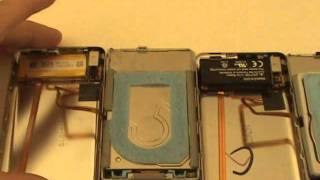
iPod Classic Hard Drive Replacement Tutorial Red X 80gb 120gb 160gb | GadgetMenders.com