

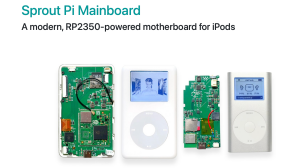










Let's modernise my original 6th Generation 160GB iPod classic. First up, we'll replace the 160GB hard drive with a 128GB SD card using an iFlash Solo plus their HDD Ribbon (required to connect the 6th Gen. motherboard to the iFlash Solo board).
TL;DW summary:
[1] ???????? iPod classic 160GB, 6th generation, model A1238 (limited to LBA28)
[2] ???????? iFlash Solo + HDD Ribbon (https://www.iflash.xyz)
[3] 2009 MacBook Pro running Mac OS X 10.10.5
[4] iTunes 12.6.2.20 for App (iPod game) support
[5] SanDisk Extreme SDXC UHS-1 card (128GB)
[6] iPod weight reduced from 160g to 110g
We're limited to 128GB due to the use of 28-bit addressing (LBA28) in this model (using the original Apple firmware). The 7th Generation iPod classic doesn't have this limitation and can be upgraded to 2TB - I used an iFlash Quad with 1GB Micro SD cards (couldn't get 3TB or 4TB working).
I want to keep the iPod Games (IPG files secured with Apple's Fairplay DRM) so I will need to have iTunes 12.6 as iTunes 12.7 onwards removed the support for App synching. If you don't need to worry about this then you can restore the iPod using the latest (as of Mar 2026) Music (1.6.3) on the latest macOS (26.3) ... much simpler.
As it's not possible to download these from Apple anymore I will need to transfer them from the iPod first.
I'll be using a 2009 MacBook Pro running Mac OS X 10.10.5 (Yosemite). It did have iTunes 12.8.1 installed (the latest for that OS X level) so I will need to remove it using the "rm -rf" command in Terminal as Mac OS won't let you delete the application:
https://www.macupdate.com/how-to/uninstall-itunes
I have the installer disk image (DMG) for iTunes 12.6.2.20 so this is what I'll be using. I was able to authorise the computer with my Apple account so I could "transfer purchases" from the iPod to the newly installed iTunes 12.6, including the iPod games.
Once I opened up the iPod it was pretty straight forward to replace the hard drive.
I restored the iPod with iTunes 12.6 ... it initially failed but physically disconnecting/reconnecting the iPod got it working.
The iPod games transferred across with no issue. I was also able to transfer hi-resolution (24-bit) Apple Lossless music files across and play them perfectly.
Next, I'll need to get a new battery (Model 616-0232).
Other useful links:
Replacement machined-metal case:
https://www.boxypixel.com/collections/mkii-ipod-classic-5th-gen-7th-gen-mkiikits
Good quality leather case:
https://www.mo-corner.com/
Rockbox firmware (solve the LBA28 limitation):
https://www.rockbox.org/
00:00 ... Intro
04:20 ... iFlash Solo
05:00 ... Removing iTunes 12.8
08:00 ... Installing iTunes 12.6
10:40 ... Transferring iPod Games from iPod
12:25 ... Opening the iPod up
16:45 ... Removing the 160GB hard drive
20:55 ... Installing the iFlash Solo
26:00 ... Reassembling the iPod
29:50 ... Powering back on
30:30 ... Restoring with iTunes 12.6
32:40 ... Testing iPod Games
36:25 ... Testing music files
40:10 ... Channel outro & thanks
--------------------------------
Check out my Patreon for regular blog-type updates between videos - there is a free membership tier and two paid tiers (US$2 and US$5). There is also a one-week trial for the paid tiers so if you don't think it's worth it, then cancel ... no hard feelings ... I appreciate any support, even if it's just subscribing to my YouTube channel!
https://www.patreon.com/TheCluelessEngineer
--------------------------------
Music by Karl Casey @ White Bat Audio
https://karlcasey.bandcamp.com
https://www.youtube.com/@WhiteBatAudio
- Category
- 6 and 7th Generation

Up Next
-
1:18:10

iPod Classic Charge Port Dock Replacement Part 2
-
11:38
Ipod Classic 1 Gen Upgrade Part 1 Battery
-
08:22
iPod classic 6th gen hard drive replacement part 2 (check)
-
06:35
I Bought These 3 iPods for $70! iPod Lot Part 1
-
09:00
Apple iPod Classic: (Part 2 of 2) Comparing Generations 1-6
-
06:14
How to use an ipod Part 2
-
20:45
iPod Classic Charge Port Dock Replacement Part 1
-
10:20
How to use an ipod Part 1
-
09:55
iPods tricks all you need to know PART 2
-
04:09
MYSTERY EXPLAINED iPod Video & Classic Size Differences When Needing a Part!
-
05:10
iPod Mini 64gb upgrade fix using SDHC or SDXC flash cards
-
13:14
El iPod Classic de 2025 In Spanish
-
02:47
How To Put Music Onto Your Ipod From A CD
-
06:24
iPod Classic 5th Generation Battery & Hard Drive Replacement!
-
13:41
iPod Classic 5th Generation Hard Drive replacement Upgrade iflash.xyz SSD 200GB!
-
05:31
iPod classic hard drive replacement
-
08:22
iPod classic 6th gen hard drive replacement part 2 (check)
-
12:19
iPod Classic Repair Ep. 107: DIY Repair Disaster! Motherboard & Hard Drive Replacement
-
04:47
Modifying an iPod Video battery and hard drive to 3000 mAh and 128 GB Flash Drive
-
06:43
iPod Classic Hard Drive Replacement Tutorial Red X 80gb 120gb 160gb | GadgetMenders.com